



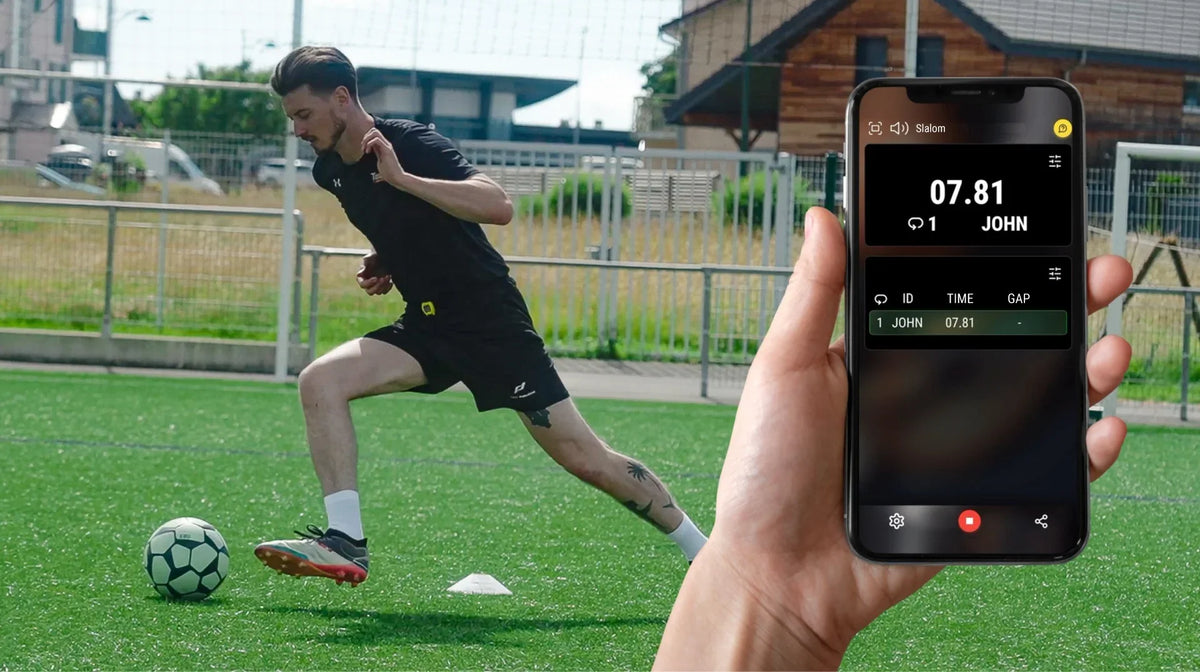
Why results management belongs in the testing plan
A sprint time is useful only when it can be tied to the correct athlete, attempt and test conditions. MyFreelap can reduce manual transcription, but coaches still need a process for naming athletes, checking incoming results and keeping a consistent record across sessions. The goal is not a prettier leaderboard. It is a dataset you can trust when the next testing block arrives.
Prepare the session before anyone runs
Write down the date, surface, sprint distance, start method and intermediate split positions. Decide how many attempts each athlete will complete and what counts as an invalid attempt. Create a consistent naming convention for workouts and athletes. If several coaches collect data, agree on those labels before opening the session.
Identify athletes consistently
An athlete called Alex in one session and Alexander in the next can create unnecessary cleanup. Use stable athlete IDs or a documented roster convention. Confirm that each wearable transponder is associated with the intended athlete in the current workflow. If equipment is reassigned during a session, check the association before the next run.
Check the first trial before testing the full roster
Run a controlled test and confirm the expected start, split and finish events appear. Verify that the result belongs to the correct athlete. A one-minute validation at the beginning is easier than discovering at the end that the lane was configured incorrectly.
Read splits as parts of a complete effort
A total time tells you how long the measured effort took. Intermediate splits help locate where differences occurred. Do not assume one slower segment proves a technical fault. Fatigue, pacing, the start protocol and normal trial variability can all affect a split. Look for patterns across repeated attempts and comparable sessions.
Freelap Canada demonstrates flying sprint timing and stride analysis using FxMotion.
Handle missing results while the athlete is present
If a result does not appear, first confirm whether the attempt was completed under the intended protocol and whether the athlete is assigned correctly. Follow the current device and app instructions for recovering data rather than repeating a run blindly. Record what happened so an incomplete trial is not mistaken for a slow one.
Freelap Canada tutorial on retrieving the latest stored result from a compatible transponder. Follow the video’s stated limitations.
Create a review routine
At the end of each testing block, check for duplicate entries, missing athletes, implausible splits and attempts that should be excluded. Record why an attempt was excluded. Keep the raw data separate from any coach-facing summary. When comparing sessions, check that the same distances, start rules and equipment setup were used.
Keep the context with the result
A useful testing record contains athlete ID, date, attempt number, test distance, split layout, start method, result and any important environmental notes. If the app’s current export does not include every field, maintain a companion testing log. Do not claim that a particular export format is available until confirmed in the current app version.
Avoid three common interpretation errors
First, do not rank times from different start protocols as though they were identical. Second, do not treat a single personal best as proof of a lasting improvement. Third, do not assume a change in total time explains which phase of the sprint changed. Preserve the details needed to investigate.
Where Freelap fits
Freelap's wearable transponders and MyFreelap app are designed to connect on-field timing with a mobile results workflow. Coaches should confirm the current product combination, device compatibility and available app functions for their testing program. Build the process around repeatability and clean records rather than relying on automation to correct a poor protocol.
Frequently asked questions
What if a result is missing?
Check the athlete assignment, device status and current recovery instructions immediately.
Can I compare sessions from different surfaces?
You can review them, but record the difference and avoid treating them as identical conditions.
Should every athlete see the leaderboard?
Only after invalid trials and identity errors have been checked.
Related reading
How Coaches Should Use Sprint Timing Data Without Overreacting
What Data Should Coaches Record During Sprint Testing?
What Makes Sprint Timing Data Comparable Across Sessions?
Next step
Before your next session, decide which athlete identifiers, testing conditions and split results you need to retain. Review Freelap Canada's app information and confirm the current features for your hardware.

Share:
How to Run a Team Speed Testing Day Without Losing Data